

Features Breakdown
Everything Teachers Need — In One Simple View
Monitor, guide, and support students in real time — without disrupting your lesson.

Live thumbnail view
See every student screen live and identify issues before they become disruptions
Real-time screen monitoring
Grid view of all devices
Quickly spot off-task behavior
Screen Lock
Instantly lock all student screens to regain focus and attention during lessons
One-click screen lock
Custom teacher message
Bring focus back instantly

.jpg)
Web Control
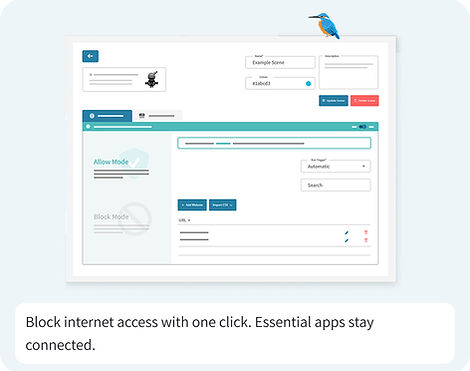
Disable internet access instantly while allowing only essential apps for learning
Block internet instantly
Allow specific applications
Maintain lesson control
Smart Blocking
Automatically block distracting websites like social media to keep students focused
Category-based blocking
Social media restriction
Keep students on task
.jpg)
.jpg)
Quick Questions
Ask students quick questions and understand class progress without interrupting lesson flow
Instant feedback collection
Simple response options
No disruption to teaching
Send Messages
Send instant messages or reminders to individuals or entire class with ease
Message one or all students
Add countdown timers
Instant communication tool
.jpg)
Works With Your School
Works With The Tools Your School Already Uses
Seamlessly integrates with your existing classroom and identity systems — no disruption, no extra work.
.png)
.png)
.png)
.png)
.png)
Who Is It Designed For
.png)
.png)
.png)
.png)


.png)

.png)
.png)