


Exam Use Cases
Run secure digital exams — without stress or setup
Setting up a controlled exam environment shouldn’t require multiple tools or complicated configurations. With Scenes, you can lock down student devices instantly — and keep every student focused from start to finish.
1
Create an exam scene
Select exactly what students are allowed to access — for example, only your exam portal — and block everything else.
2
Apply in one click
Apply the scene to your exam group.
Every student device instantly switches to the approved environment.
3
Set a time limit
Define when the exam starts and ends.
The scene automatically stops — no manual reset needed.
4
Blocked means blocked
If a student tries to access something else, they’ll see a clear blocked message.
“If you’re running an exam and want to make sure students stay focused, you can block all websites except your exam portal using Allow mode.”


Classroom Learning Use Cases
Not just for exams — full classroom control
Research mode
Keep students focused by allowing only essential tools like Word and a browser.

Social media blocking
Block distracting apps and websites during school hours.

Lesson-based control
Apply different settings for each class — from Year 7 English to Year 10 Maths.
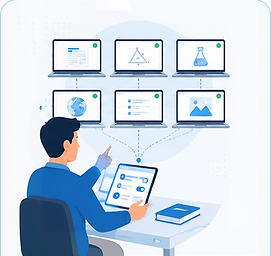
Cover lessons
Ensure consistency even when a substitute teacher is in charge.

Features Breakdown
Built for real classrooms — not IT teams

Pre-configured scenes
Create once, apply instantly every time without re-configuring

Allow mode vs. Block mode
Choose whether to whitelist approved content or blacklist distractions

No complicated setup
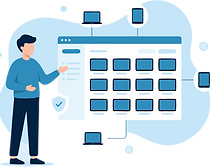
Applies instantly to all devices in the group with one click

Group management
Run a scene for one group without affecting other classes

Automatic and manual settings
Scenes stop automatically at the end of the lesson or stop manually at any time

Cross-device support
Works on Chromebooks, Windows, and iOS

Website & app control
Allow or block specific websites and apps

CSV import
Upload lists of websites to block rather than entering them manually


.png)
Made for education
Built specifically for teachers and ICT managers.
.png)
GDPR-compliant
Fully compliant with Belgian and European privacy standards.
.png)
Reliable & secure
Your data stays safe with enterprise-grade infrastructure.
.png)
Local support
Belgian-based support when you need real help.